Voter Card Not Dispatched Under Printing? Here’s How to Solve the Problem (2026 Guide)

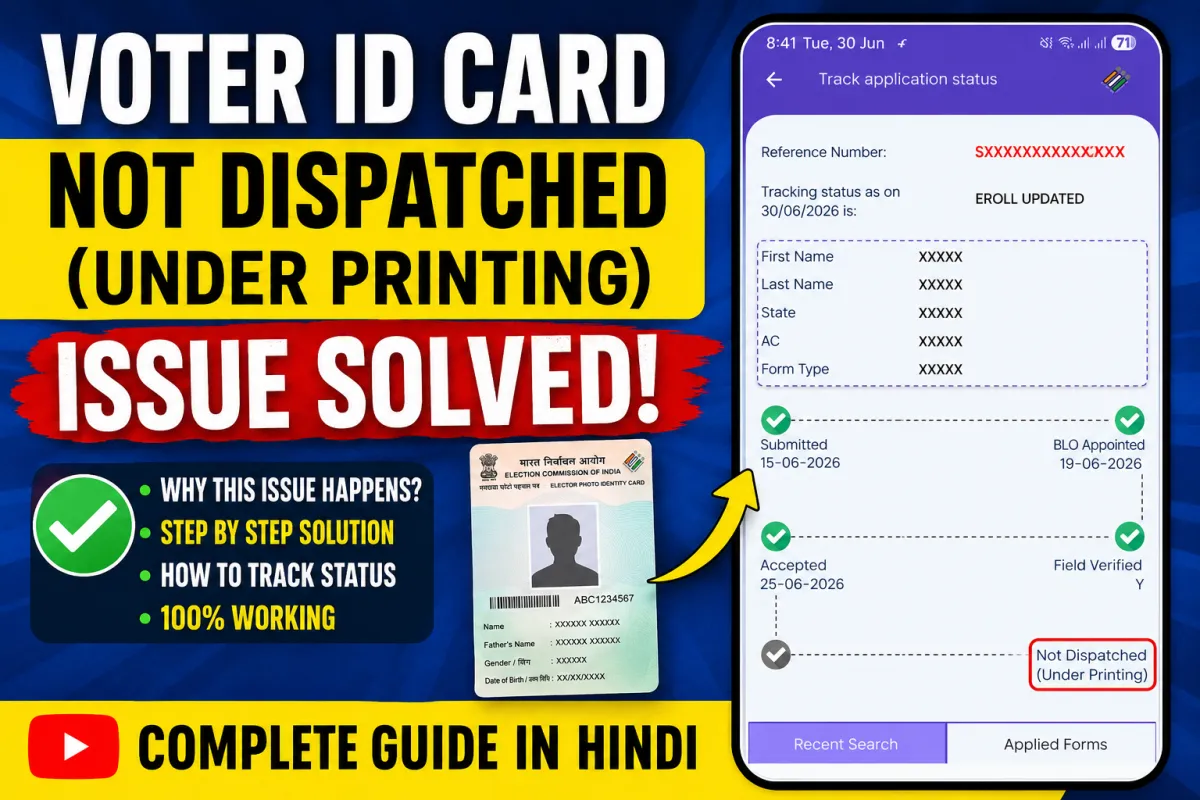
vIf your voter ID card status shows “Not Dispatched” or “Under Printing” for several weeks or even months, you’re not alone. Many voters face this issue after successfully submitting a new voter registration or correction request. The good news is that, in most cases, the problem can be resolved by submitting a complaint through the Election Commission of India (ECI).
In this guide, you’ll learn why your voter card gets stuck in the printing stage, how to submit an official complaint using the ECI app or web portal, and what you can do if your card is still not dispatched. Follow the steps below to get your voter ID processed faster.
Why Does the Voter Card Show “Under Printing” or “Not Dispatched”?
After your voter registration or update request is approved, your EPIC (Elector Photo Identity Card) goes through several stages before delivery.
Common reasons for the delay include:
- High printing workload at the printing center.
- Technical issues during card generation.
- Pending verification or backend processing.
- Dispatch delays due to logistics.
- Temporary server or system synchronization issues.
In many cases, the application is approved, but the physical card remains stuck at the printing stage until a complaint is raised.
How to Check Your Voter Card Status
Before submitting a complaint, verify your application status on the official Election Commission portal.
You can check your application using the Application Reference Number (ARN) or EPIC Number through the Voters’ Service Portal.
If the status continues to display Under Printing or Not Dispatched for an unusually long period (generally more than 30 days), proceed with the complaint process.
Solution: Submit an Official Complaint
The fastest way to resolve the issue is by contacting the Election Commission through their official grievance system.
Option 1: Use the ECI Mobile App
Download the official Election Commission app:
After installing the app:
- Sign in using your registered mobile number.
- Open the Complaint or Grievance section.
- Choose the category related to your voter ID.
- Explain that your voter card has been under printing or not dispatched for a long time.
- Submit the complaint and save the complaint reference number.
Option 2: Submit a Complaint Online
You can also file a grievance through the official web portal:
Log in with your registered account, navigate to the grievance section, provide your application details, and submit your complaint.
What Information Should You Include?
To help officials process your request quickly, include:
- Application Reference Number (ARN)
- EPIC Number (if available)
- Full name
- Registered mobile number
- State and Assembly Constituency
- Date of application
- A short explanation mentioning that the card has remained under printing or not dispatched for an extended period.
Keep your complaint clear and factual.
Expected Resolution Time
Most users receive an update within a few days after submitting a grievance, although the exact timeline depends on the workload in your state.
Continue checking your application status periodically after submitting the complaint.
Watch the Complete Step-by-Step Video Guide
If you prefer a visual walkthrough, watch this detailed tutorial that explains the complete complaint process from start to finish.
Step-by-Step Video Tutorial :
Helpful Tools While Applying
If you’re preparing application details or keeping copies of important information, these free Toolszu utilities can help:
- Save your reference numbers securely using the Online Notepad.
- Reduce the size of supporting documents with the PDF Compressor before uploading them where required.
- If you need to combine multiple documents, use the PDF Converter Tools to organize your files easily.
Frequently Asked Questions
Is “Under Printing” a rejection?
No. It means your application has generally progressed to the card generation stage, but the physical EPIC card has not yet been printed or dispatched.
How long should I wait before filing a complaint?
If the status remains unchanged for more than 30 days, it is advisable to submit an official grievance through the Election Commission.
Can I receive my voter card without raising a complaint?
Yes. Many applications are processed automatically. However, if the status is stuck for an unusually long time, submitting a complaint often helps move the process forward.
Where can I officially complain about my voter ID delay?
Use the official ECI mobile app or the Voters’ Service Portal. Both platforms allow you to register and track grievances.
Will I receive a tracking number after submitting the complaint?
Yes. The grievance system generally provides a complaint reference number that you can use to track your request.
Can I check my voter application online anytime?
Yes. The Election Commission’s online portal lets you check your application status using your ARN or EPIC number.
Conclusion
A voter card remaining Under Printing or Not Dispatched can be frustrating, but it is usually a temporary processing issue rather than a rejection. The most effective solution is to submit an official complaint through the Election Commission’s mobile app or web portal and monitor your application status regularly.
If you’re preparing documents during the process, simple utilities like an online notepad or PDF tools can help you stay organized. Most importantly, use only the official Election Commission platforms for status checks and grievance submission to ensure your request is handled securely.